One Living Room, 12 Styles: The Same Photo Redesigned by PropertySavvy AI
Published
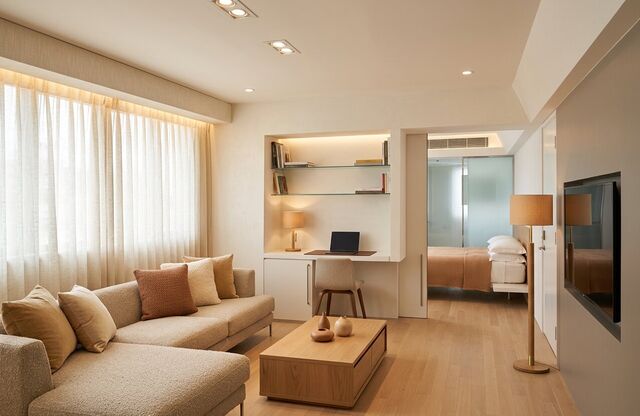
Picking a style from mood boards is hard because every photo shows a different room. So we did the opposite: we took one living room photo and ran it through PropertySavvy AI once for each of the 12 styles in the designer. Each picture below is one request, unretouched, from the same starting photo.
Here is the photo they all started from: a long living room with a dark sofa, a built-in desk nook, a bed through the doorway on the right, and a wall-mounted TV.
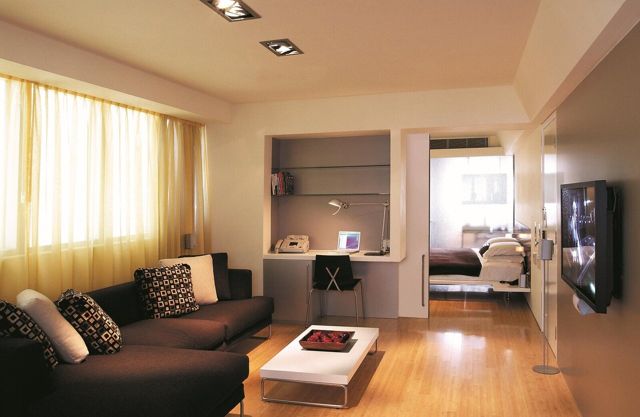
Every render below was made with Restyle, which changes furniture, paint, lighting and finishes and leaves the walls, windows and doors where they are. Look at the window wall, the desk nook and the doorway in each one: they stay put while everything around them changes.
Warm modern
A cream sectional, warm-toned cushions, a low oak coffee table and soft lamp light. Clean lines and uncluttered surfaces, but nothing feels cold. A safe pick if you want the room to look finished without leaning into one strong look. Try Warm modern
Japandi
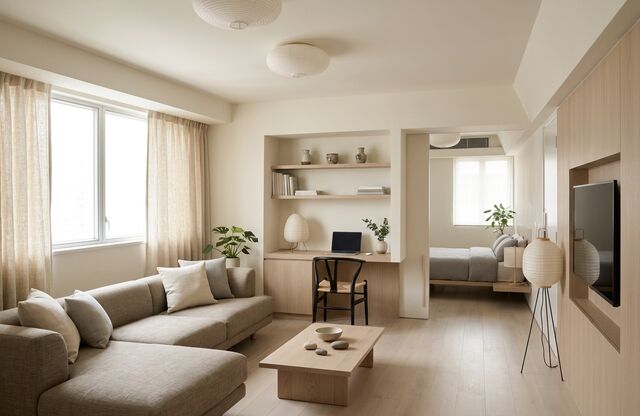
Japanese restraint meets Scandinavian warmth: a low, soft-gray sofa, pale wood, a round paper pendant and plenty of calm empty space. Choose it when the room should feel quiet. Try Japandi
Scandinavian
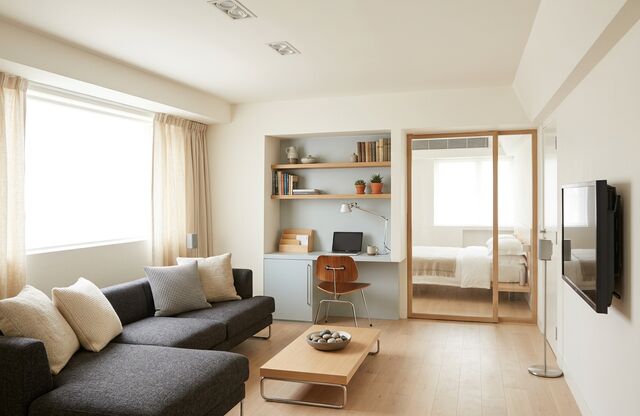
White walls, light wood floors and a charcoal sofa with simple cushions. Functional furniture, soft textiles and as much daylight as the window gives. Try Scandinavian
Mid-century
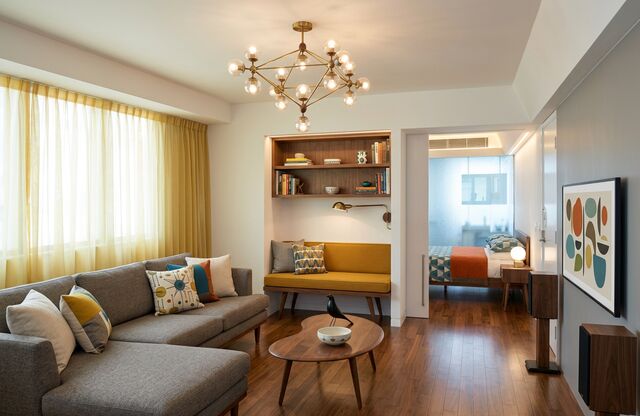
Tapered walnut pieces, a round coffee table, a sputnik-style chandelier and a few bright accents, like the yellow bench in the desk nook and the graphic art on the wall. Try Mid-century
Coastal
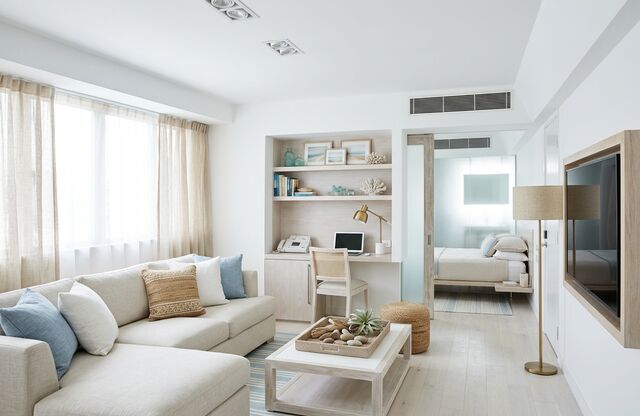
Whitewashed and airy: a white sofa with blue cushions, sheer curtains, a woven tray and a light, sunlit feel. Try Coastal
Traditional
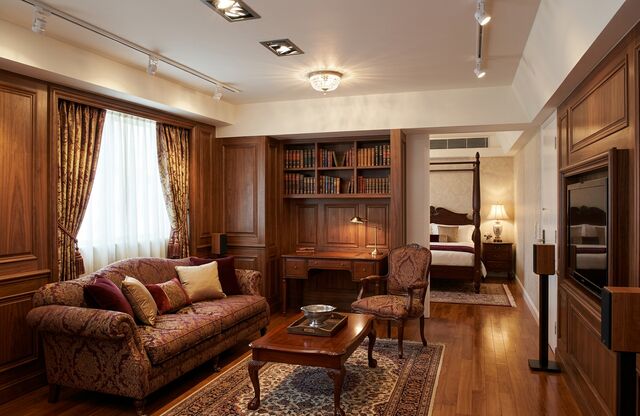
The biggest change of the twelve. Rich wood paneling, patterned drapes, a carved sofa in red and gold upholstery, a dark wood coffee table on a patterned rug, and a four-poster bed through the doorway. In this style the finishes do most of the work. Try Traditional
Minimalist
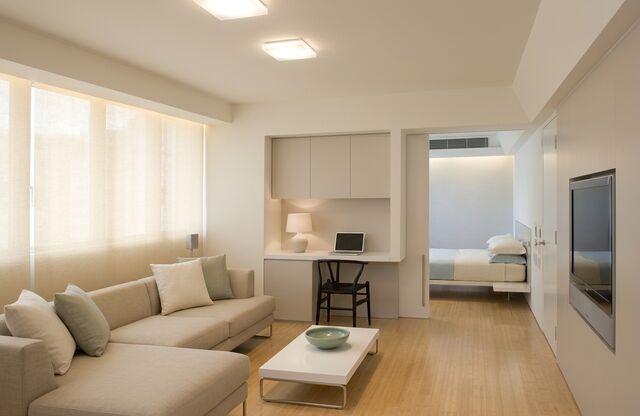
Very few pieces, a restrained cream palette, clean surfaces and soft, diffuse light. The desk nook even gets plain closed storage instead of open shelves. Try Minimalist
Industrial
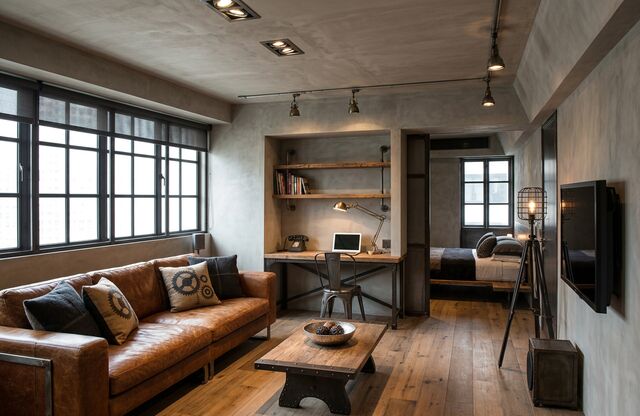
Concrete-gray walls, black-framed windows, a cognac leather sofa, a chunky reclaimed-wood coffee table and track lighting. The loft look, in a room that isn’t a loft. Try Industrial
Modern farmhouse
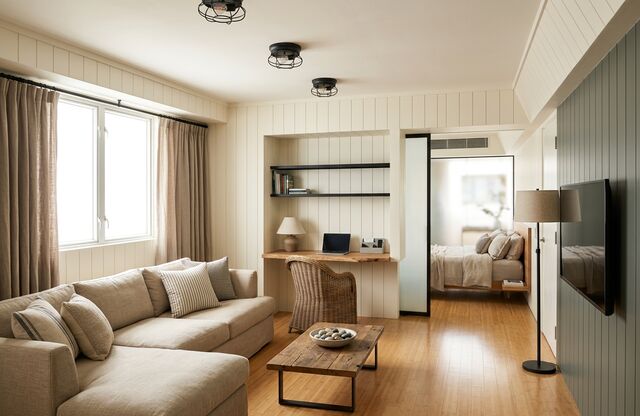
Paneled walls, matte black light fixtures, natural wood and a soft neutral sofa. Relaxed and comfortable rather than rustic. Try Modern farmhouse
Bohemian
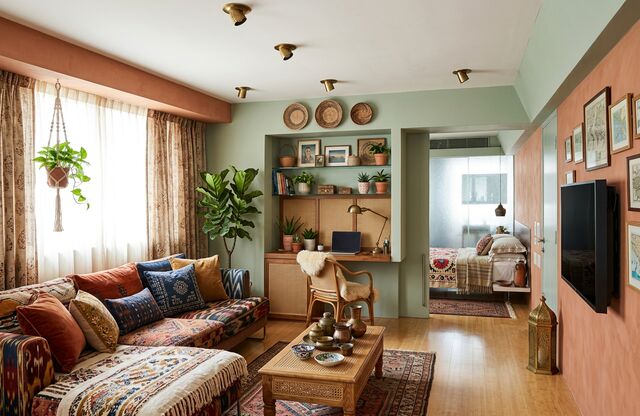
Layered patterned textiles, a hanging plant, rattan, terracotta and sage walls, and shelves full of collected pieces. The busiest of the twelve, on purpose. Try Bohemian
Art Deco
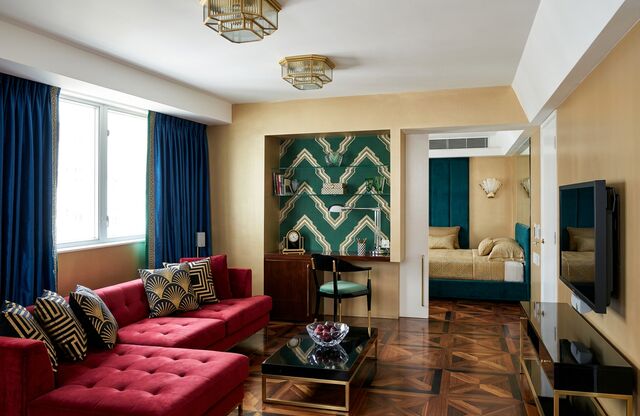
Bold and glamorous: a red velvet sectional, deep blue curtains, a geometric green-and-white feature panel in the nook, brass ceiling lights and a herringbone wood floor. Try Art Deco
Mediterranean
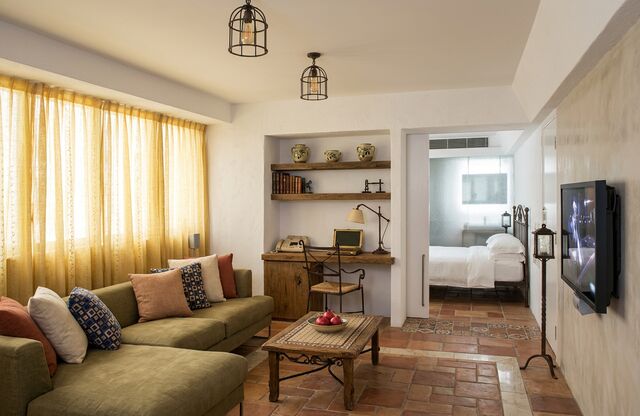
Terracotta tile floors, an olive-green sofa with warm cushions, golden curtains, wrought-iron lanterns and a rustic wood coffee table. Sun-washed and warm. Try Mediterranean
How to do this with your own room
- Upload one photo. An empty or furnished room, a facade or a yard all work.
- Pick how far to go.
- Restyle: furniture, paint, lighting and finishes. Walls, windows and doors stay put. Every picture above used it.
- Renovate: also reworks built-ins, cabinetry, flooring and surfaces. Use it to preview a remodel, like new cabinets or floors.
- Empty: removes furniture and clutter to show the bare room.
- Choose a style, one of the 12 above, or pick “Describe your own” and say what you want in your own words. You can also pick a color palette, or let the style decide.
- Generate. In about 15 seconds you get a photorealistic picture of the same room from the same camera angle.
Tips for better results
- Shoot the whole room, level, in daylight. The render keeps your camera angle, so a good starting photo matters.
- Try a few styles on the same photo. Seeing them side by side, like the twelve above, is what makes the choice easy.
- Use Restyle to compare looks, and Renovate for remodel questions. If you want to keep your cabinets and floors, stay in Restyle.
- Check every render closely. The model can change things you didn’t ask for, like a light fitting or a piece of trim. Treat each picture as a direction to react to, not a plan, a measurement or a quote.
Try it on your own photo
Your first render is free. After that, credits come in one-time packs from $9, with no subscription, and credits don’t expire. Restyle a room now, or see more real before-and-after pairs in the gallery.